Your Cart is currently empty.

Main Menu
Featured Products
HYPEYE D MINI
HYPEYE D MINI
$59.00
HYPEYE MINI
HYPEYE MINI
$50.00
HYPEYE D PRO
HYPEYE D PRO
$99.00
Camcorder Accessories Camera Mounts Helmet Accessories

List All Products


Advanced Search


Lost Password?
Forgot your username?
No account yet? Register

Login Form


HYPOXIC! Providers of the HYPEYE camcorder controller and indication system for action sports
Sony HDR-CX100/ HDR-CX105 for Action Sports E-mail
Wednesday, 20 May 2009 22:04

Purpose

To create a synopsis of all the posts found on dropzone.com's photography forum on the Sony HDR-CX100/ Sony HDR-CX105 post. There are tons of photos and videoon that post, mainly starting at page 20 and going up. If you are looking at mounting ideas, please scroll through those pages!

Link to Full review of camera by DSE

Camera

  • CX100 - NTSC version / CX105 or CX100E PAL version
  • Current price BH Photo video: $599-$499
  • Solid State AVCHD based camera with 8GB internal memory and slot for memory stick Pro Duo 2.
  • 30mm lens adapter
  • Connectors: 1 x Composite video/audio output , 1 x S-Video output , 1 x Component video output , 1 x HDMI output , 1 x USB , 1 x Remote control
  • No infrared remote control nor port for one
  • No Firewire (no AVCHD camera has Firewire or iLink)
  • No external Mic input
  • Recommended use with HYPEYE D PRO since you are unable to turn on/off camera without opening up the LCD and it provides feedback.

Settings

  • Set to manual focus daily. Looses setting after 12 hrs
  • Auto Exposure, auto scene. Be careful not to use the spot focus/spot exposure method!
  • Power on by LCD - OFF
  • X.V. Color turn - ON
  • Turn off face and smile detection
  • Preference: Keep steady shot on, change to wide angle lens
  • Preference: Turn auto shutoff to never
  • Turn on HD to lowest compression mode to fit your requirements
  • US Competition flyers, switch to SD mode 4:3

Fitting Side or Top

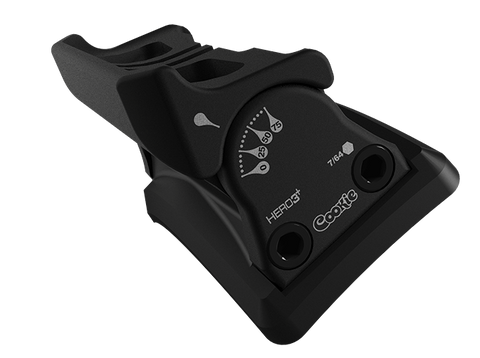
  1. Used a box such as Cookies or TonFlys
  2. Use an L-Bracket with a clip or gaffers tape to tape down LCD screen. Screen will fly open and break if you do not tape it down.
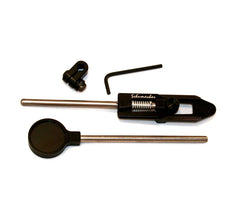
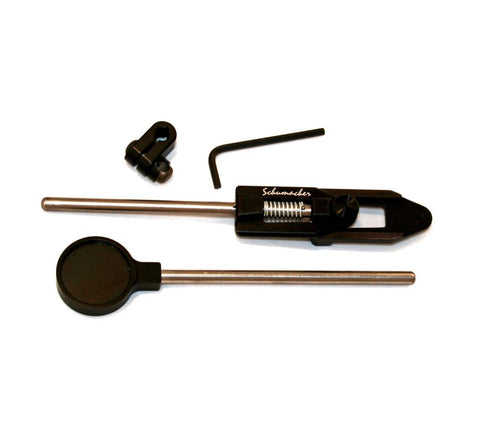
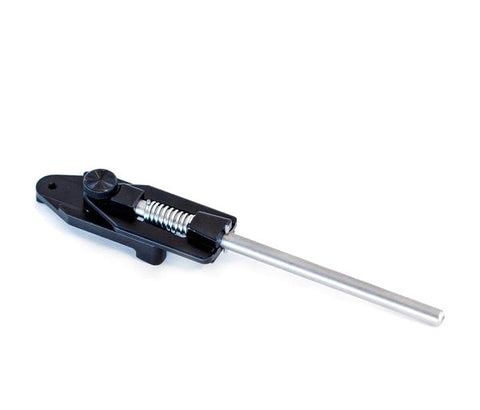
  3. Use a goldmember , Schumacher Quickshoe , a Manfrotto or a Flat Lock
  4. Use a ¼" mounting screw and bolt the camera to the top of the helmet. Add some sort of strap and rubber or cork foot to prevent it from spinning off.

Note: Try to mount the lens against the helmet with rubber and/or some sort of restraint. This will reduce shake. Again check out this post for photos of various helmet mounting examples.

Lenses

For most of these you'll need an adapter from 37mm to 30mm. The Century lenses come with metal adapters. The Raynox come with plastic adapters that should be replaced with metal ones at the discretion of the skydiver.

Lens

Pro

Con

Personal Notes

.2 Royal / Liquid / Waycool

Small profile and very wide angle

Low resolution SD lens, non-zoomable

Only use if filming in SD mode really close. Try the Baby death lens as a substitution.

Century .3x 37mm MK II "Baby Death"

Awesome quality, high resolution

Wide lens and heavy, non-zoomable

Great lens for doing really high quality close footage

Raynox HD-3032PRO

Good HD quality, light weight, zoomable

Longer than traditional single element lenses

Good general purpose lens

Century .55x 37mm

Great HD lens, low profile

Only .5x, non-zoomable

My personal choice

Raynox HD-5050PRO

Good HD lens, light weight. Zoomable

long profile multi element lens

Decent lens, but prefer the century

Royal / Liquid / Waycool .3/.5

Low Profile lens

SD resolution, non-zoomable

If you have one, hold on to it but think about upgrading. Good for 4:3 setups and for those wanting a .3 low profiles lens

Note: Multi-element lenses allow for zoom through the lens. This is good for grabbing landing footage, scenes from the airplane, and footage while under canopy. I personally set my zoom and focus once and never touch it but your situation may vary.

Archiving

  • Use the software provided with the camera and connect the camera up via USB to the PC
  • Manually: Using a card adapter and card reader copy the following files into your own archiving scheme:
    • HD footage MTS extension (AVCHD footage)
    • SD footage MPG extension (MPEG 2 footage)
    • Pictures JPG extension

Playing

Note: AVCHD is meant as a transport therefore on most machines it does not play very fluidly. You may want to get in the habit of rendering to a more computer friendly format before viewing.

  • To view download a Codec such as FFDShow or CoreAVC for PC
  • Use utility that came with the camera
  • Use a utility such as upshift to automatically convert the footage.

Non Linear Editing (NLE)

As found on http://en.wikipedia.org/wiki/AVCHD. I personally use Sony Vegas 8.0c

The following video-editing software features support for the AVCHD format:


  • Adobe Premiere Pro (from version CS4 onward; support not included in the trial version - activation must occur to gain AVCHD support)
  • Adobe Premiere Elements (from version 7 onward)
  • Apple's Final Cut Express 4Final Cut Pro 6.0.1, and iMovie '08-'09 (iMovie is bundled with all new Apple computers; Final Cut Express and Pro are sold separately) do not support editing of AVCHD clips directly. Imported AVCHD clips are automatically converted into the Apple Intermediate Codec format, which requires more hard disk space (40GB per hour as opposed to 13.5GB per hour for Standard Definition DV), a more powerful machine (an Intel-based Mac), and a more recent OS (Mac OS X 10.5). Final Cut Pro 6.0.5 "logs and transfers" the footage from AVCHD to AppleProRes by default and also gives the option of converting to the Apple Intermediate Codec. It does not allow native transferring of the *.m2ts clips nor directly editing them. iMovie does not currently support AVCHD Lite used by some later model Panasonic still cameras.[31]
  • Cyberlink Power Director 7, which also supports GPU offloading for both ATI and NVidia graphics cards in the latest patch.
  • Avid Xpress ProAvid Media Composer
  • Grass Valley's Edius 5.0
  • Dayang's Montage Extreme [ME] 1.2
  • Nero 7 Ultra Edition Enhanced and Nero 8 Ultra Edition are software suites which contains the AVCHD editor, found in Nero Vision. Also included in this suite is Nero Showtime, which plays AVCHD files natively. Edited video can also be burned to DVD discs in AVCHD format for playback on hardware players or in Blu-ray format.
  • Pinnacle Studio Plus 11, 12 and 12.1
  • Sony Vegas 7.0e
  • Vegas Pro 8
  • Vegas Movie Studio Platinum 8
  • Vegas Movie Studio Platinum 9
  • Kdenlive for Linux and BSD platforms


Linear Editing

  • Shoot for the edit. But luckily if you mess up, play the footage back, press divide and split the footage in two. Then delete the half that is bad.
  • No longer use fades but tricks like pan to the sky at the end of the shot then pan from the sky to the next shot.
  • Slow motion: It stalls for a tad so you may not want to use this camera on Cessna Dropzones where you try to elongate the jump by replaying the exit and slow motioning it. Plus there is no remote control so you'll need the display open. Look at upgrading to an NLE workflow.
  • You can no longer firewire to the master tape for evening website uploads. Work with your webmaster for an easier workflow.

Workflow

See Tandem Videos Made Easy and Sony Production Assistant

Photos

  • With the HYPEYE D PRO expansion kit or photo kit and a bite switch you can get around 6 stills while recording during a typical jump.
  • The photos are 4.3MPixel
  • Typical latency from when you press the button to the shot is around 1.5seconds and up to 3 seconds.
  • Test by recording and pressing the Photo button on your camera, this is how the photo kit will work.

Last Updated on Thursday, 21 May 2009 09:33
 
HYPEYE D PRO E-mail
Sunday, 22 March 2009 21:47

This is a short commercial for the Hypeye D Pro camera controller, featuring Mark Kirschenbaum.
This product is awesome for controlling Sony camcorders used in action sports. Biking, motocross, kayaking, BASE, Mountain biking, ATVs, horseback, skydiving, skiing, snowboarding, skateboarding, rollerblading, and other high-speed, hands-free sport photographers will want one of these.
Last Updated on Sunday, 22 March 2009 21:53
 
HDR-CX100 Test Skydives E-mail
Monday, 23 February 2009 10:57

A few jumps from Skydive Arizona's (Eloy) Freefly money meet was captured with Sony's latest AVCHD camcorder. A standard def .3x lens was used during most of the jumps since the closeness of the subject and I did not have access to a .3 high def lens at the time. There are a few .5x HD lens scenes. Thanks go out to Cynthia Currie and Steve Curtis for some great video. All jumps used the HYPEYE D PRO from Hypoxic for control

Last Updated on Monday, 23 February 2009 11:00
 
Sony HDR-CX100 E-mail
Wednesday, 18 February 2009 13:01

We just had the opportunity to play around with Sony's latest High Definition AVCHD based camcorder the HDR-CX100 and are super stoked about it for skydiving. If you have not heard, this camera has EIS so it will not have flutter in sitfly and high burble positions. Its smaller than a PC1000 and can easily be side mounted. This thing is tiny... take a look at this picture of the cx100 on a cookie composites helmet. BH Photo Video also now sells the HYPEYE D PRO

And read the review about the CX100.

 CX100 CX105 Cookie Helmet for skydiving

I'll post videos shortly.

One note, so that you do not require to have the display open and still control the camera with the HYPEYE D PRO there is a setting in the third menu to not shut down the camera with the display closed. Here is a picture I stole from DSE

cx100_setting

Read Spot's whole review here


Last Updated on Wednesday, 18 February 2009 16:55
 
HYPEYE D MINI Released! E-mail
Tuesday, 06 January 2009 00:13

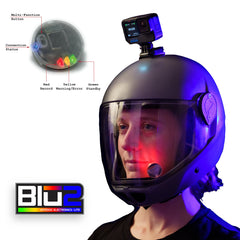
Get Hypoxic LLC released the new HYPEYE D MINI. The HYPEYE D MINI is a status indicator for most Sony Camcorders equipped with the AV/R (half moon, 'D') connector. It's simplistic design, super bright indicators and robust construction make it perfect for action sports videographers. Product is now available here online or from one of our many distributors

img_1280_web  

img_1288_web

Last Updated on Tuesday, 06 January 2009 00:23
 
<< Start < Prev 1 2 Next > End >>

Page 1 of 2
Copyright © 2009 HYPOXIC - Extreme Sports Electronics. All Rights Reserved.
phone 602.770.0480 fax 866.399.4991 email sales(at)gethypoxic.com