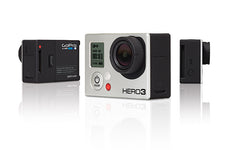
GoPro HERO3 Problem, Bugs and Known Issues List
Posted by Mark Kirschenbaum on
GOPRO HERO3 Black Firmware revision 03.03.03 is now available as of 7/29/2013!
The latest gopro HERO3 firmware is located here on their site. I recommend checking that you have the latest GOPRO HERO3 firmware by following these instructions. This is the list of the latest GOPRO HERO3 updates.
The latest release is pretty damn sweet! I've used if for a few weeks without a single bad video or missed still session!
NOTE: It appears gopro has moved to recommending LEXAR 600x class 10 cards. From their readme, there must have been some issues with some SanDisk cards not making specs.
NOTE: In photo every .5/1 second mode it can take up to 2 seconds to re-expose just FYI and this is how the HERO2 used to respond.

(Back red light of death - Only the back light is on and the camera is non-responsive)
Here is Hypoxic's list of issues with the GoPro HERO HD 3 Blacks:
Strikethrough means fixed!
EXTREMELY CRITICAL
|
Issue |
Description |
Workaround |
|
Photo Every Second Mode (.5/1second intervals) overexposed |
The Gopro does not continuously adjust exposure therefore people such as skydivers, paintballers, marksmen, etc. that start PES inside a dark place and then travel into a bright situation get washed out photos. The opposite senario is true. They have "locked" the exposure for use in time lapse, but it does not help people that use this mode in fast passed sports as the camera was originally designed to do. An option to set this is highly desirable. This mode is currently unusable for skydiving unless the user starts the camera after exit which is difficult to do and will be off depending on their position relative to the sun. |
Possibly shoot in 1440x960 mode and use screen grabs or start recording at exit. You can also switch to photo every 2seconds or above. (Gopro - For those people that do want exposure lock, make it a setting. Return PES back to the normal!) |
|
Random stops recording after x seconds of video |
I've personally seen this twice but others have seen it a lot more. I haven't seen with the latest release and a formatted card. |
I would take off all your footage from the camera first and then do an erase all on the camera (format) so it formats it to it's preferred style and defragments the card. Never remove a file without doing this! As you will be fragmenting your card |
| Reliability issues with the Wifi Remote |
Heard some reliability issues with the WiFi Remote control starting the footage and the camera stopping the recording. This may be due to the above issue. |
Don't use the wifi remote at the present time if you are having reliability issues (Fixed with latest release) Cleaned up but not sure if its fixed in 3.00.03. Please comment |
| Lockup while charging |
Lock ups with power supplys not strong enough for the inrush current required by the GoPro3. This will result with the "Back Red Light of Death!" |
1) To workaround this you must find a better power source. You also need to remove the battery for a few seconds, re-insert it and ensure the back light turns off. Use a different USB powersupply that is at least 1000ma (1Amp) rated 2) Take out the battery like above to completely reset it. Then turn on the camera, then plug the camera into the charger, then turn it off. This seems to work even with bad chargers. For more information please see our engineering post about the Gopro HERO3 locking up while charging. |
| One button mode works once and then camera does what it wants. |
One button mode is broken on the most recent release. I will work for the first time and then lock up aftewards requiring a battery removal. NOTE: This will work with ProTune Enabled |
Remove battery, replace battery, hold down top button once powered on and turn off one button mode |
| Random Freezes and lockups |
The camera will randomly freeze and sometimes even lock up while 1. Recording - Even with a good card (Cleaned up with latest release) 2. Sometimes just powering down after a quick power on (The camera is not fully booted yet) |
Await new firmware and remove battery if locks up. Then delete all / format the card via your pc. You may have a partial firmware upgrade on the card. The camera takes a bit to boot up/ get in sync with the DSP processor. Wait a few seconds before starting/stoping after the screen displays or recording starts. |
| Random Shutdowns |
1. Sometimes while watching on a TV the camera will beep, shut off the display but still play 2. Sometimes while downloading via USB the camera will disconnect and shut off |
Await new firmware and remove battery if locks up. This may be a overheating issue so stay tuned. (Fixed in latest firmware) |
Critical
|
Issue |
Description |
Workaround |
|
Corrupt Files |
The camera allows you to shut it off before finalizing the file |
Give it 5 seconds after stopping before holding down the power/mode button. |
| No smart phone app |
Can not control camera via a tablet or smart phone |
I don't use this feature too much so it does not bother me, but still should work on release |
|
Wifi Remote LED does not blink right at turn on |
Infact I'm ok with it being red the whole time. You click the button and you want immediate feedback especially in stressful situations such as base, skydiving, or burst mode at a critical moment. "Did it start? Did it take" |
None |
|
Hero 3 black + new style (black) battery bacpack + wifi enabled = camera won't stay off. |
If I press the power button on the camera or on the wifi remote, the Black shuts down for 3 seconds, then powers back up. I have a support ticket in to GoPro on this. So far in our 5 or 6 emails, its gone back and forth between camera being the cause vs. battery packs bring the cause. |
None (Told by outside source) / Have not tested lately |
|
Wifi Randomly Turns on |
Seen this a few times and can't determine if its just a hit from the side or a firmware issue |
Haven't Seen it in 3.00.03 yet |
|
Wifi Looses communication |
Seen this in 3.00.03 but do not use this feature much. I'm also around a lot of interference in the office |
Pretty Damn Anoying
|
Issue |
Description |
Workaround |
|
Can not show 2.7K or 4K on the TV |
Can not show 2.7K or 4K on the TV. Wish it would down sample the footage so that you can playback on a standard TV. Perhaps the processor is not fast enough. |
Play on your computer (Fixed on latest release) |
|
Playback tool bar should dim after x seconds |
After a short period, the playback toolbar should become hidden so that you can see the footage not ubstructed by the icons. Perhaps have a playback setup option for tool bar off and automatically play next footage without OSD so people can use linear editing devices |
None (Fixed on latest release) |
NOTE: It appears gopro has moved to recommending LEXAR 600x class 10 cards. From their readme, there must have been some issues with some SanDisk cards not making specs.
Take a look at our Indicator for the GoPro Camera and never loose a shot again! Turned On by HYPOXIC
Share this post
- Tags: gopro